 Virdim
Virdim › Guides
How to add a Quran verse widget to your iPhone lock screen
Virdim puts a new Quran verse, a hadith or one of the 99 names of Allah on your iPhone lock screen every day. Add the widget once; the content changes by itself every day. The widgets are free.
Add it to the lock screen
First download Virdim from the App Store and open it once. These steps are for iOS 17 and later; menu names can differ slightly between iOS versions.
- Touch and hold the lock screen until Customize appears at the bottom.
- Tap Customize; if you are offered two screens, choose the lock screen.
- Tap the widget area below the clock, or Add Widgets.
- Choose Virdim from the list, then tap a widget: Verse of the Day, Hadith of the Day, Name of the day, Religious days, Daily wird or Dhikr.
- Tap Done.
General steps: Apple, Create a custom iPhone Lock Screen.
What each widget shows
| Widget | Lock screen | Home Screen | What it shows |
|---|---|---|---|
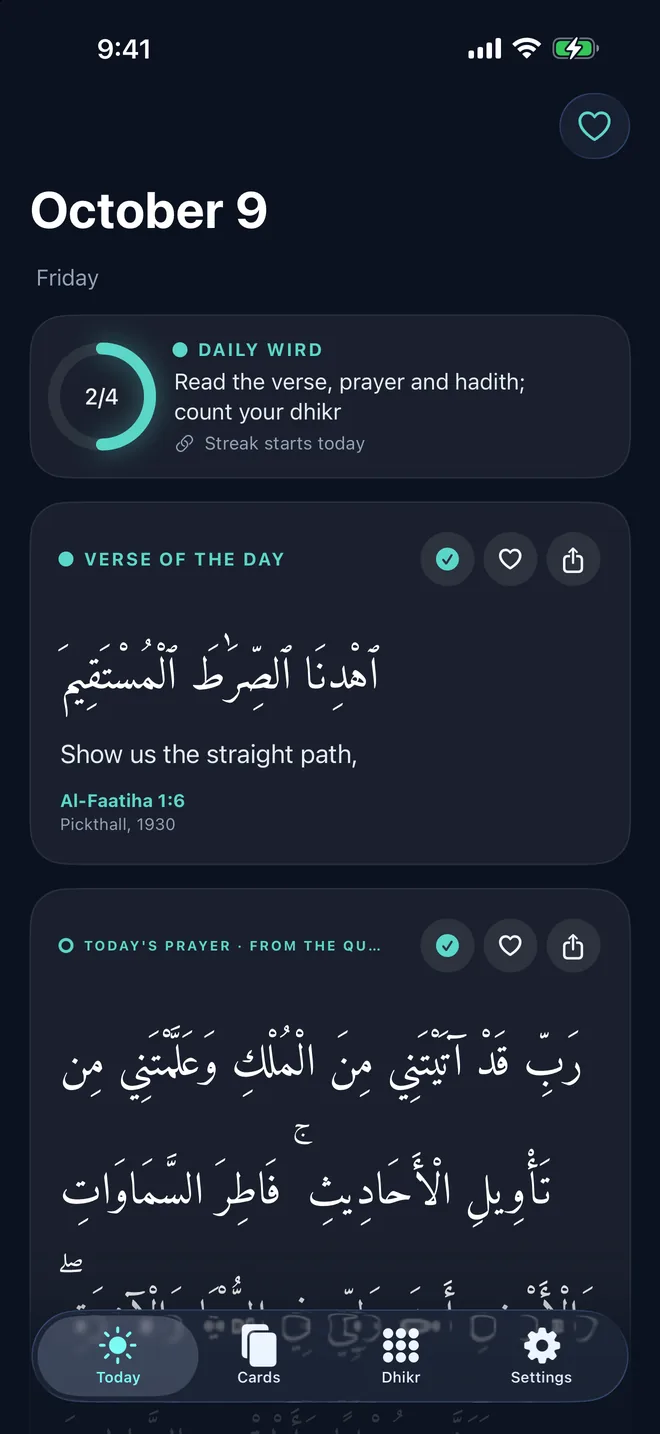
| Verse of the Day | Yes | Yes | A verse that changes every day; the large size adds the prayer and hadith |
| Hadith of the Day | Yes | Yes | A hadith every day |
| Name of the day | Yes | Yes | One of the 99 names every day: Arabic, transliteration and meaning |
| Religious days | Yes | Yes | The next holy night, Eid or Ramadan: date and days left |
| Daily wird | Yes | Yes | The verse, prayer and hadith of the day and your dhikr: how much is done today, how long the streak is |
| Dhikr | Yes | Yes | Counts with a tap |
| Friday card | No | Yes | This week's Friday card; on holy nights and Eid, the card of the day |
Add it to the Home Screen
- On the Home Screen, touch and hold an empty area until the apps jiggle.
- Tap the button at the top (Edit or +), then Add Widget.
- Find Virdim, swipe through the sizes and tap Add Widget.
Apple, Add, edit and remove widgets on iPhone.
A verse wallpaper that changes every morning
If you would rather have the verse itself as your lock screen background, follow the steps in Virdim under Settings → Wallpaper: in the Shortcuts app, Automation → Time of Day → "Verse of the day image" → "Set Wallpaper (Lock Screen)". The automation changes the wallpaper to the verse of the day every morning. For a one-off, "Save to Photos" is enough; Virdim asks only for add-only access to Photos.
The wallpaper is free; all templates come with Virdim Plus.
Questions
Do the widgets cost anything?
No. Lock screen and Home Screen widgets, the dhikr counter and the Live Activity are free. Virdim Plus is only for personalisation: your name and all templates on cards, all wallpaper templates, unlimited custom dhikr and unlimited favourites. There is no paywall on launch.
Do I need an internet connection?
No. Verses, prayers, hadiths, the 99 names and religious days are bundled in the app, and what you read is not recorded.
Can I count dhikr from the lock screen?
Yes: with the Dhikr widget, the Action Button, a lock screen control and the Live Activity. More: Dhikr counter without opening the app.
Texts and sources
English translation by Marmaduke Pickthall (1930), Turkish by Elmalılı Hamdi Yazır (1935); hadiths from Sahih al-Bukhari. Arabic text from the Tanzil Project. Texts are unchanged and every text carries its reference.
Virdim is not a mushaf or a translation app; it shows one verse, one prayer and one hadith a day. It does not show prayer times.
Get Virdim free on the App Store and add the widget today.