 Virdim
Virdim › Guides
A dhikr counter without opening the app
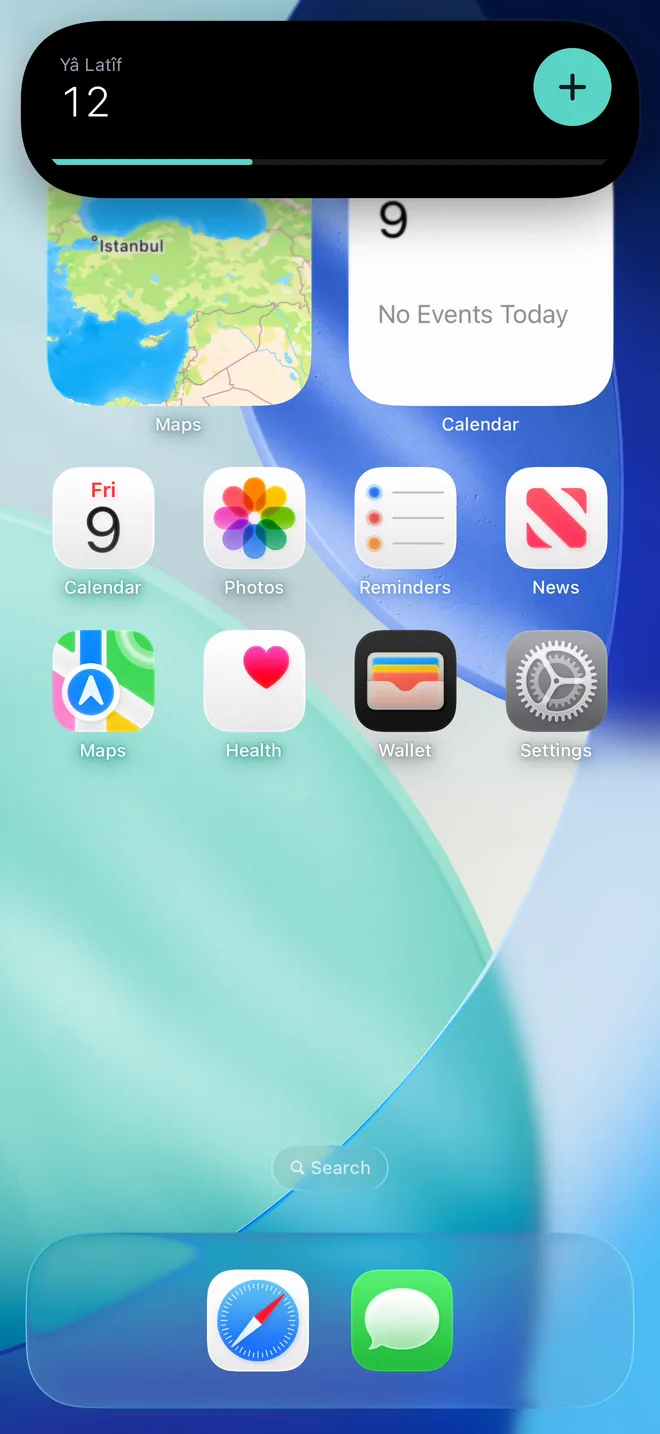
Virdim's dhikr counter works from four places on your iPhone: the Action Button, Control Center and the lock screen controls, the Dhikr widget, and the Dynamic Island. Whichever you use, the counter and the widget update together; you never have to open the app.
Where you can count
- Action Button (iPhone 15 Pro and later): every press and hold counts once.
- Control Center and the lock screen (iOS 18 and later): every tap on the "Count dhikr" control counts once.
- Dhikr widget: on the lock screen and the Home Screen, count with a tap.
- Dynamic Island and Live Activity: the counter stays visible after you leave the app; the plus button counts.
- In the app: tap the screen.
Put dhikr on the Action Button
- Open Settings on your iPhone and tap Action Button.
- On iOS 18 and later, swipe to Controls, tap the button below it and choose Virdim's Count dhikr control.
- On iOS 17, swipe to Shortcut and choose Virdim's Count dhikr action.
From then on, every time you press and hold the Action Button the counter goes up by one.
Apple, Use and customize the Action button on iPhone.
Control Center and the lock screen control
On iOS 18 and later, "Count dhikr" can be added as a control.
- Open Control Center and tap the plus icon to start editing.
- Tap Add a Control at the bottom and choose Virdim's Count dhikr.
- For the lock screen: touch and hold the lock screen, tap Customize, tap the minus on one of the controls at the bottom (such as the flashlight), then the plus, and choose Count dhikr.
Apple, Use and customize Control Center on iPhone and Create a custom iPhone Lock Screen.
The counter in the Dynamic Island and on the lock screen
When you leave the Dhikr tab, the counter stays in the Dynamic Island. Touch and hold the island for the name, the count and a plus button; every tap on the plus counts once. On the lock screen the same counter lives as a Live Activity.


On first launch Virdim asks once: "Keep the dhikr counter on the lock screen?" A Live Activity stays on for at most 8 hours; opening the Dhikr tab starts it again. On iOS 26 and later the counter can also appear by itself every morning; turn this on or off with "Show it every morning" in Settings.
If the counter does not show in the Dynamic Island: the Dynamic Island toggle at the top right of the Dhikr tab must be on, and iOS Settings → Virdim → Live Activities must be on.
Tasbih mode
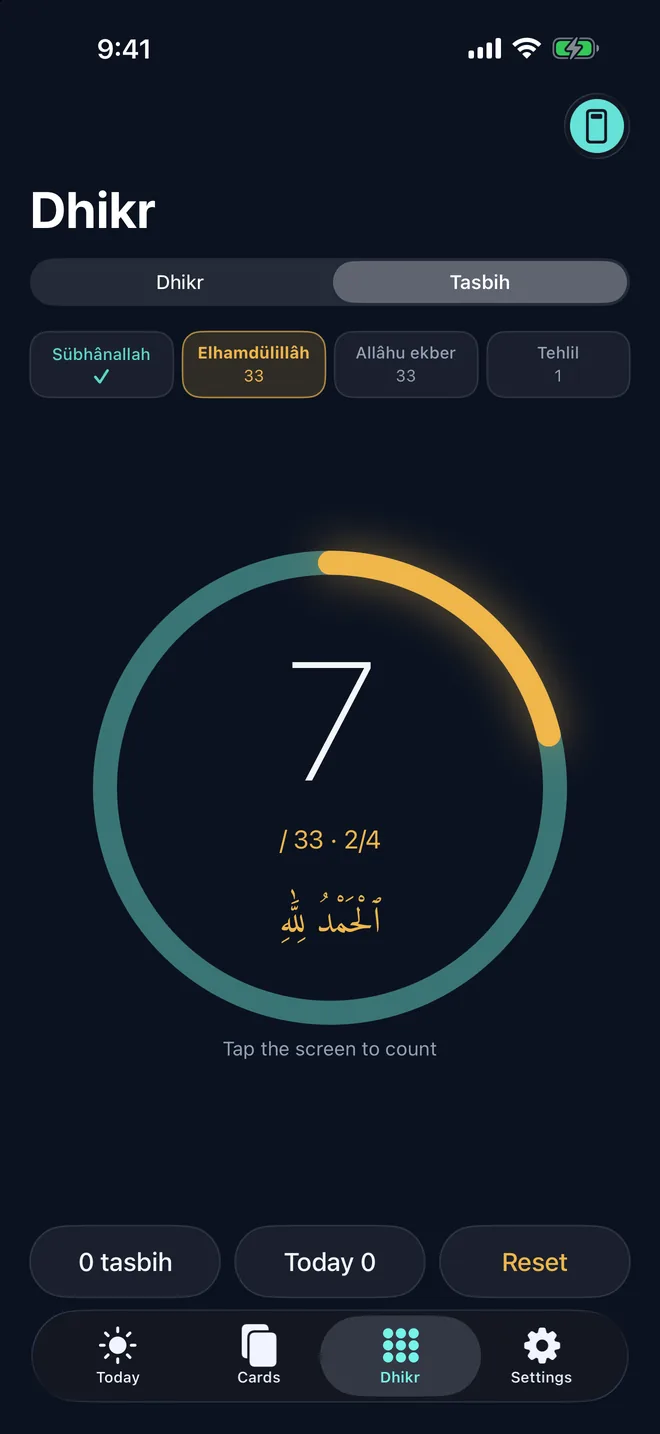
For the tasbih after prayer: 33 Subhanallah, 33 Alhamdulillah, 33 Allahu akbar and the tahlil, in order. Steps advance by themselves, each with its own haptic, and you can continue from any step.
Targets, rounds and dhikr by name
Subhanallah, Alhamdulillah and Allahu akbar come ready. Set a target of 33, 99, 100 or your own number; rounds are counted. Pick one of the 99 names of Allah and make dhikr by name, such as "Ya Latif". Virdim gives no repetition counts for the names; you choose the target.
The counter, tasbih mode, the Action Button, the widget and the Live Activity are free. Custom dhikr that you write yourself is part of Virdim Plus.
Your data
Your dhikr counts stay on your phone; there is no account and no server. Details in the privacy policy.
Get Virdim free on the App Store and count dhikr from the lock screen.